前台
Walk-ins
A guest arriving without a booking: one flow creates the profile, the reservation and an already-in-house stay.
最后更新
Who this is for: Front Desk, Manager, Owner — requires
frontdesk.checkin. Where: Front Desk → Reservations
A walk-in has no reservation to find, so Nerve does not make you create one and then check it in. Walk-in is a single flow that produces the guest, the reservation and a stay that is already in-house, on a room you pick.
It sits beside New reservation on the reservations screen, because that is what it is: a booking made at the desk. The difference is only that this one starts in-house.
Book and check in a walk-in#
- Open Front Desk → Reservations.
- Select Walk-in.
- Choose Existing guest and pick the profile, or New guest and enter their name, e-mail and phone.
- Set the Check-out date. The check-in date is today — a walk-in is someone standing in front of you.
- Choose a Room type, then a room from the free rooms offered.
- Select Book & check in.
When the flow finishes the stay is already in-house. There is no second check-in step: it appears on the rack as occupied, on the reservations table as in-house, and its folio is open.
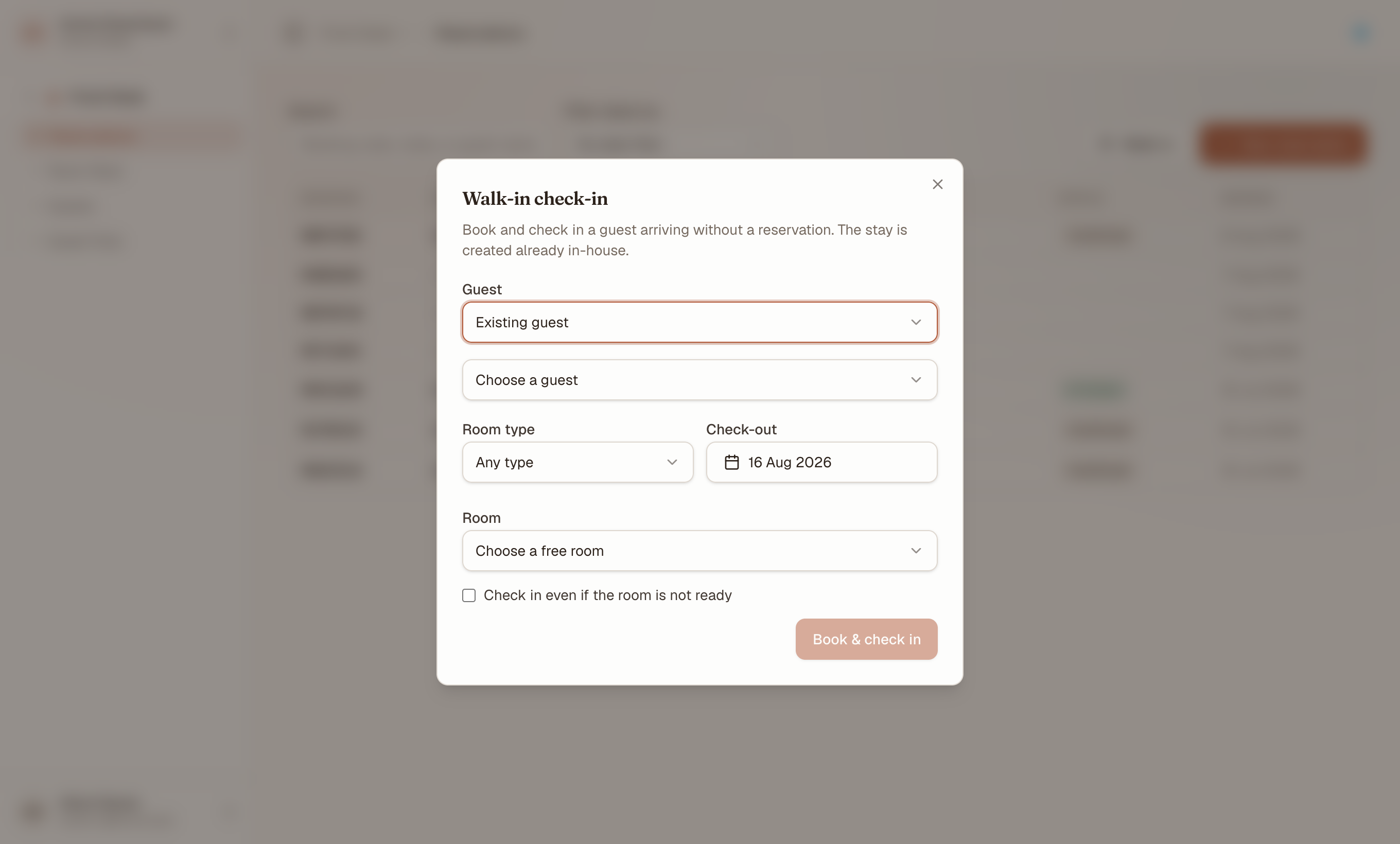
One dialog does the booking and the check-in — the button says so. The readiness override sits here too, on exactly the same terms as an ordinary check-in.
注意
The Room type list is built from what is actually free for those dates, so it names your property's own categories — and a type with nothing free for the stay does not appear at all. Leave it unset to see every free room regardless of category.
提示
Search Existing guest before creating a new one. Walk-ins are where duplicate profiles are born — the guest is standing there and typing a fresh name is faster than looking one up. Cleaning it up afterwards is merging duplicates.
Handle a room that is not ready#
The room list offers rooms that are free for the dates, which is not the same as ready. With check-in requires a ready room switched on for the property, picking a room Housekeeping has not released stops the walk-in exactly as it stops an ordinary check-in.
Either pick a different room, or tick Check in even if the room is not ready before submitting. The override is per action and is recorded; it does not change the policy for the next guest. See readiness and the check-in gate.
Charge a walk-in#
The walk-in flow does not take a deposit — unlike the guided check-in, there is no deposit field in it. Take the money on the folio once the stay exists:
- Open Front Desk → Guest Folio.
- Select the stay.
- Take the payment against its folio, ticking This is a deposit taken in advance if that is what it is.
注意
On staging, a card payment is recorded against the folio without a real authorisation — no gateway is wired. In production the gateway responds before the payment posts. Never enter a real card number on staging.
What's next#
- Check a guest in — the flow for a guest who did book
- Taking payments and issuing refunds — charging the new folio
- Check a guest out — settling it at the end