Point of Sale
Settlement and close
Read the day's settlements, run the cashier drawer, hand a check to another drawer mid-shift, and freeze an outlet's business day for the night audit.
Terakhir diperbarui
Who this is for: Owner, Manager, and whoever holds the drawer — the screen opens on
pos.settle; drawers needpos.cashier.sessionand the day close needspos.day.close. Where: Point of Sale → Settlement & Close
This is the end of the outlet's day: the drawer somebody is accountable for, the settlements that have gone through it, and the close that freezes the lot.
Unlike the rest of the section, every outlet appears here — a spa and a ballroom are closed the same way a restaurant is.

The drawer on the left, what went through it on the right. Only the cash row on the right is the drawer's problem; a charge to a room took no money at the outlet.
Read today's settlements#
The right-hand panel lists every settlement at this outlet today, as source → destination, with the payment method where there is one.
| Row reads | What happened | Cash in the drawer? |
|---|---|---|
check → direct (cash) |
Paid in cash at the outlet | Yes |
check → direct (card) |
Paid by card | No |
check → direct (cashless) |
Paid by e-wallet | No |
check → direct (city_ledger) |
Owed by a company or house account | No |
check → direct (compliment) |
Written off with an authorization reason | No |
check → direct (meal_coupon) |
Discharged a pre-sold coupon | No |
check → direct (officer_check) |
Drawn against an officer-check card | No |
check → folio |
Charged to a guest's room | No |
check → master_account |
Charged to an event | No |
appointment → …, session → … |
A treatment or a class, settled the same ways | as above |
Reading this list is how you answer the only question that matters at the end of a shift: of everything sold, how much of it should be in the drawer?
Only the cash rows should be. That is worth restating now that there are nine methods rather than three: a compliment took no money, an officer check took no money, a city-ledger settle took no money. Each is a real settlement and each belongs in the day's totals — none of them belongs in the till.
The panel is today only, and there is no date control — yesterday's settlements are not reachable from this screen.
Open a drawer#
- Choose the outlet.
- Select Open drawer.
- Type the opening float — the cash actually in the till as the shift starts.
- Select Open.
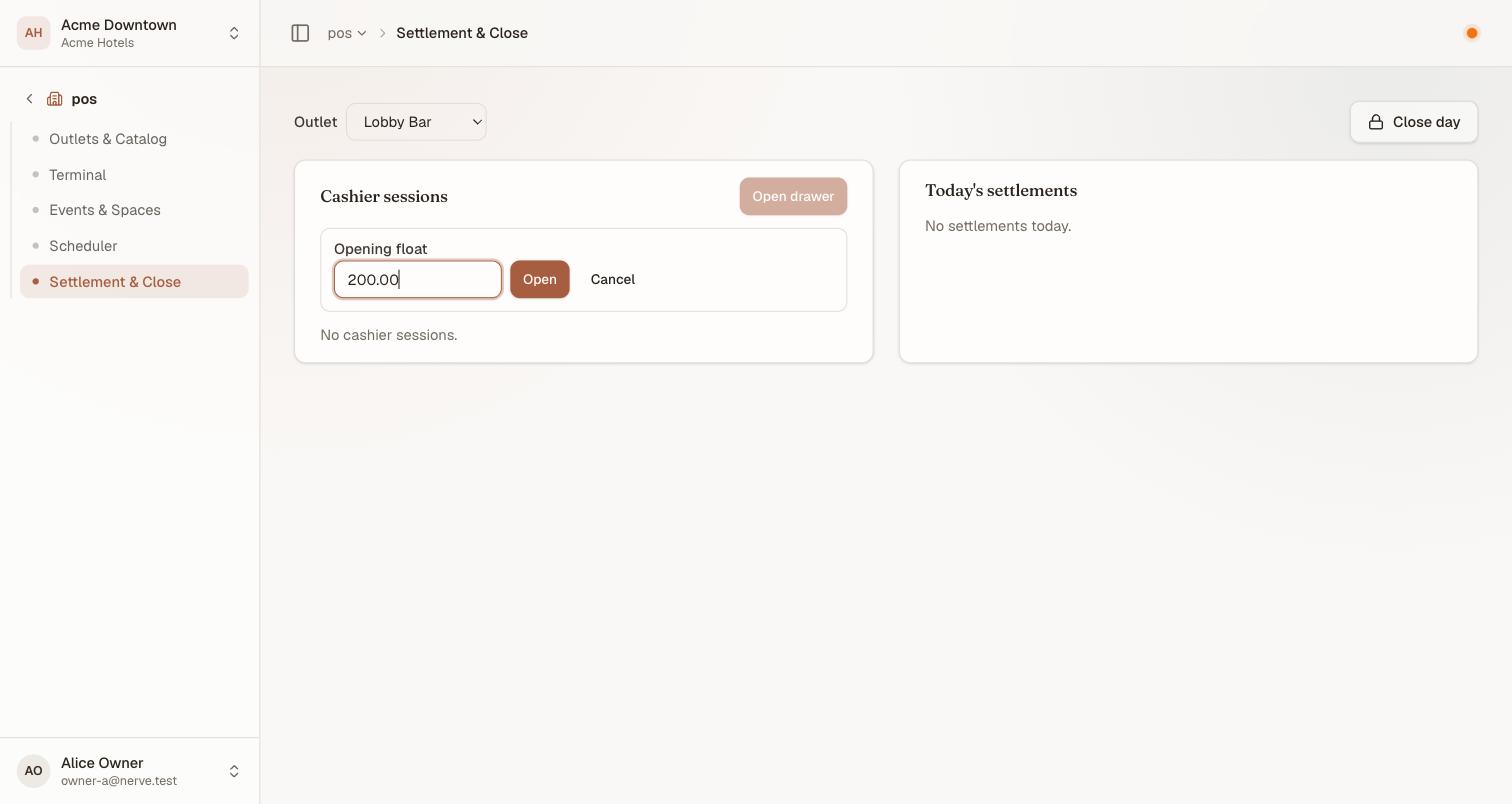
One field, and it is the one that matters: the float you type is what the drawer will be measured against at the end of the shift. Count the till before you type, not after.
The drawer appears in the list, and from then on it can be attached to a settle at the terminal — the Cashier session field in the settle dialog.
Attaching is the habit worth building. A cash settle that is left on Don't attach is a real sale and lands in the day's totals, but it is not counted against any drawer — so the drawer's arithmetic and the till's contents disagree, and nothing on any screen says why.
While the drawer is open its row carries a running expected figure beside the float — the opening float plus the net cash settled on it so far. It moves as the shift trades, and it is the number you will count against.
Hand over mid-shift#
A shift can change before its checks are settled. At the terminal, Transfer hands an open check to another cashier's drawer — its lines and its kitchen tickets move with it, and nothing is re-rung.
What that means here: a check settles against whichever drawer is holding it at the time, not the one that opened it. So an outgoing cashier transfers their open checks before counting down, and closes a drawer that owes nothing it cannot account for. A check left behind on a closed-out drawer is the other way this goes wrong.
Where several drawers trade at one outlet, the terminal's Cashier drawer filter narrows the check list to one of them.
Count the drawer down and close it#
- Count the cash in the till.
- Find the drawer in Cashier sessions and select Close.
- Type what you counted.
- Select Confirm close.
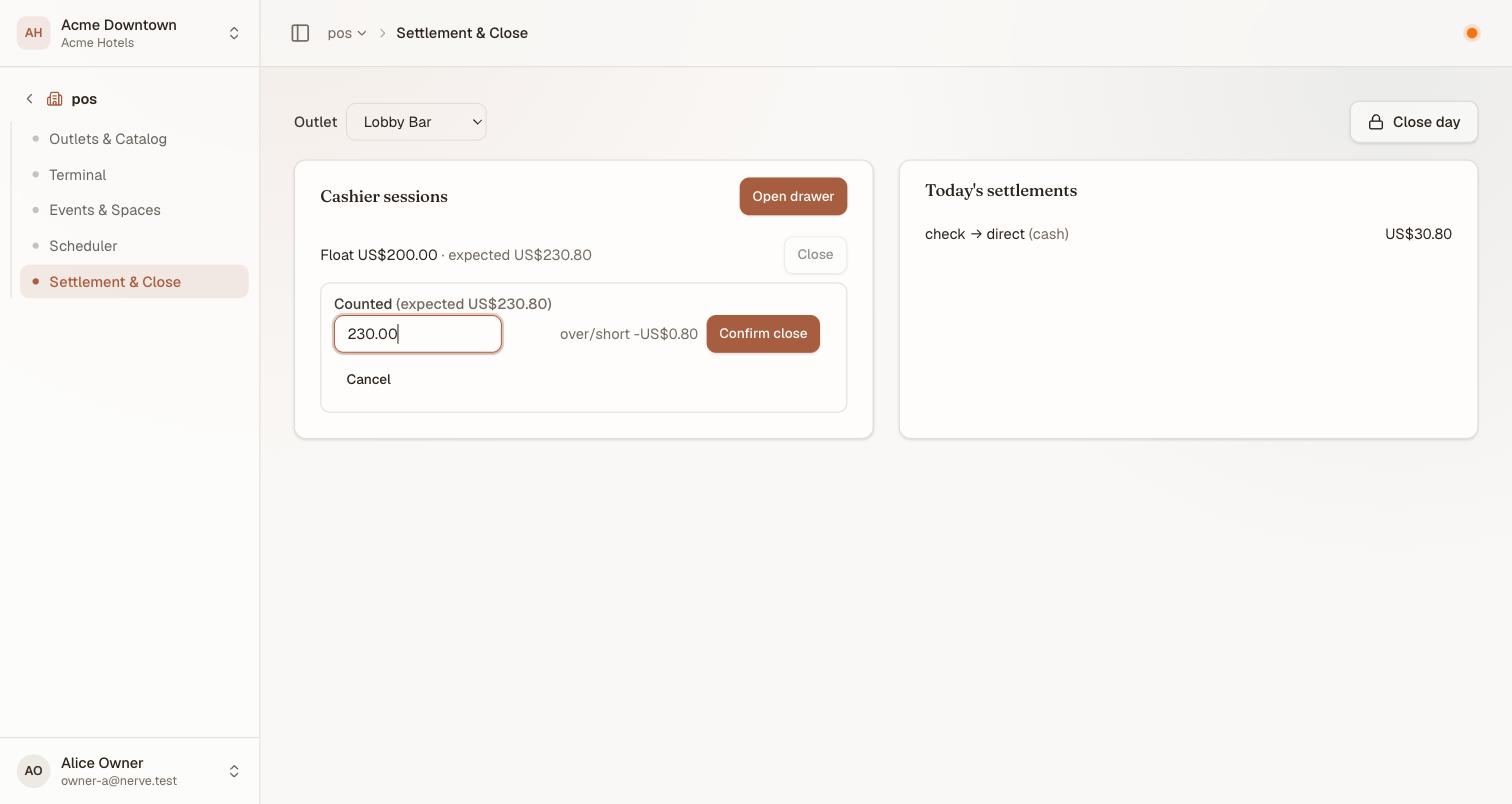
The variance appears as you type, before you commit to it. Expected is printed twice — on the session row and in the field's own label — so the figure you are counting against is never off-screen while you count.
Closing freezes one number — over/short — and it is an accountability figure, not a total:
over/short = what was counted − (the float + the cash settled on this drawer)
Note what is not in that sum. Card takings are not; charges to a room are not; compliments, coupons and officer checks are not; and a cash settle that was never attached to the drawer is not either. So a drawer short by exactly one lunch usually means somebody left the Cashier session field alone.
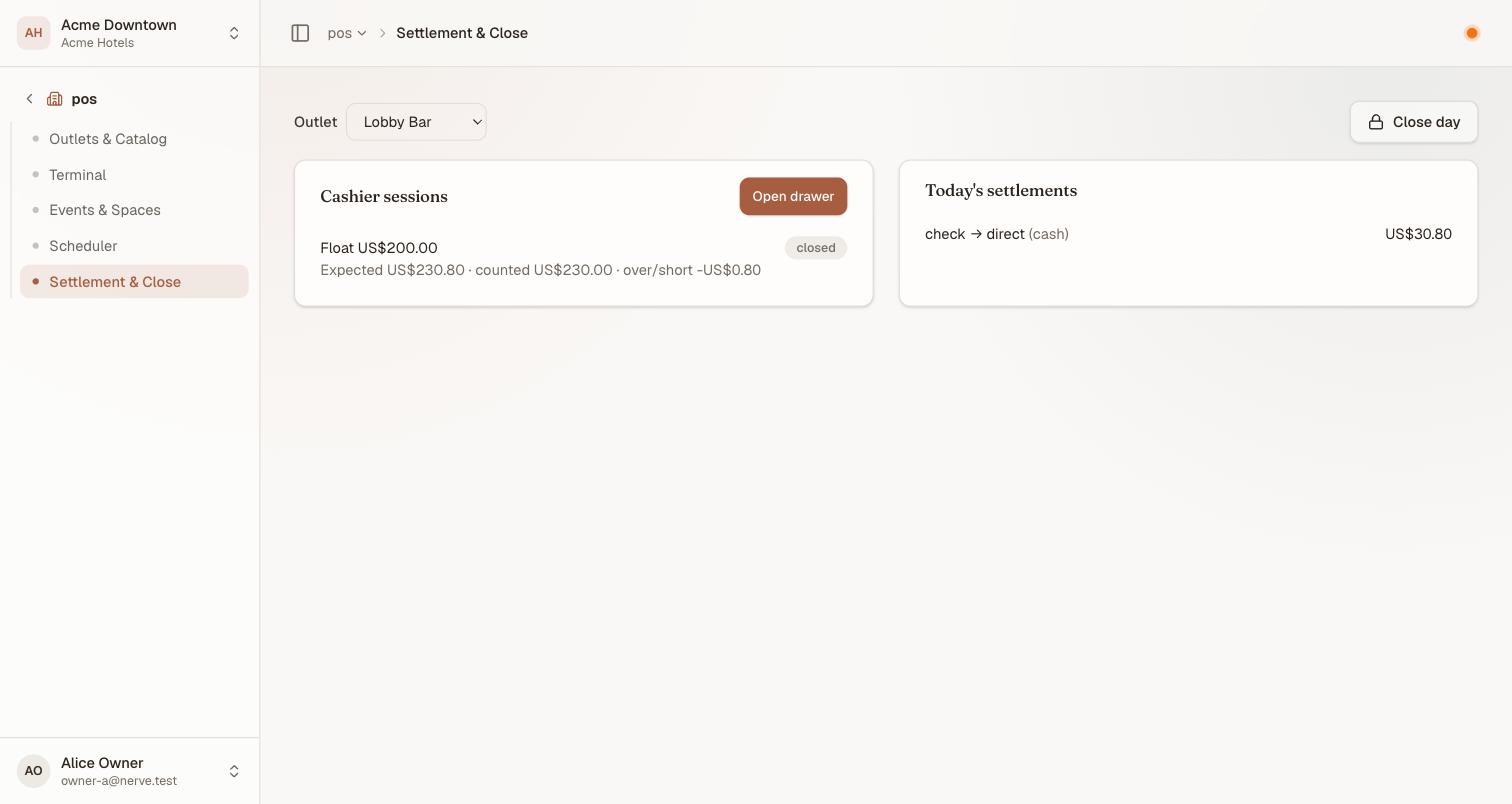
Closed. All three figures stay on the row, so a shift can be queried the next morning without anyone recomputing it.
Catatan
A drawer that does not balance still closes. Nerve records the variance and does not ask you to justify it, because a drawer forced to balance tells nobody anything. Chase the difference against the settlement list on the right, where an unattached cash settle is the usual culprit.
A closed, counted drawer is also what feeds the outlet half of the cash summary — an open drawer contributes nothing there, because money nobody has counted is not a figure.
Close the outlet's day#
- Settle or void every open check.
- Make sure no appointment is still live.
- Close every open cashier session, as above.
- Select Close day.
Nerve refuses the close while anything is still live, and tells you what:

A refusal with a count, not a warning. It names all three things it checks even when only some of them are the problem, so read the numbers rather than the list.
Three things block it:
- an open check
- an appointment that is booked, checked in or in service — not yet completed, cancelled or a no-show
- an open cashier session
The message is a to-do list. Work through it and try again.
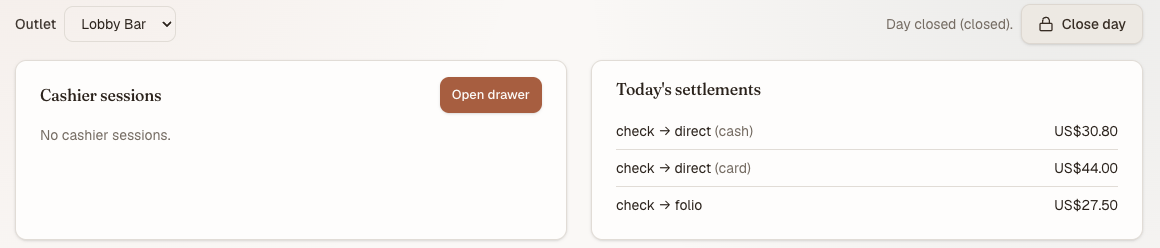
A day closed on an outlet that traded: three settlements, three destinations, and the confirmation beside the button.
What the close freezes#
Closing writes the day's numbers down and stops recalculating them: gross and tax, revenue by revenue centre (the codes you set on each outlet — this is what they were for), the payment mix, and how many settlements there were. Refunds are folded in with the sign reversed, so the frozen day and the settlement list reconcile against each other rather than drifting.
From here it is Accounting's. The closed day is what the night audit consumes, and what makes non-room revenue appear in the ledger attributed to the outlet that earned it rather than as one lump.
Penting
Close each outlet's day before the property's night audit, not after. The audit reads what has been frozen. An outlet still open at that point contributes nothing to that night's figures, and closing it the next morning does not retrofit it — the sales are not lost, but they land against the day you closed them on.
What this screen does not do#
- No refund. Refunding a direct settlement is a real operation with its own permission (
pos.refund) and no control here. - No day report. Closing confirms in a sentence; the frozen totals are not shown on this screen — read the day from Cashier Sales instead, which is the report built for exactly that.
- No date control. Both panels are today.
- No reopening a closed day.
What's next#
- The terminal — where a check is settled and transferred
- Outlet reports — Cashier Sales reads a drawer against its count
- The cash summary — where a counted drawer joins the property's cash position
- The night audit — the property-level close that reads these
- The ledger — where non-room revenue arrives