Lễ tân
Group bookings and master-folio routing
One reservation, several stays, one account. Open a master folio and decide, per stay, what lands on it.
Cập nhật lần cuối
Who this is for: Front Desk, Manager, Owner — requires
frontdesk.folio.postto reach the screen andfrontdesk.folio.transferto open the master or change a routing. Where: Front Desk → Guest Folio → Group binders
A group is one reservation holding several stays — see creating a group booking. Group binders is where you decide who pays for what across them.
A binder is the group's billing as one object: the master folio, and every stay routed to it. Switch to it with the Folios / Group binders control at the top of the Guest Folio screen — the same screen bills one stay on one side and a whole group on the other.
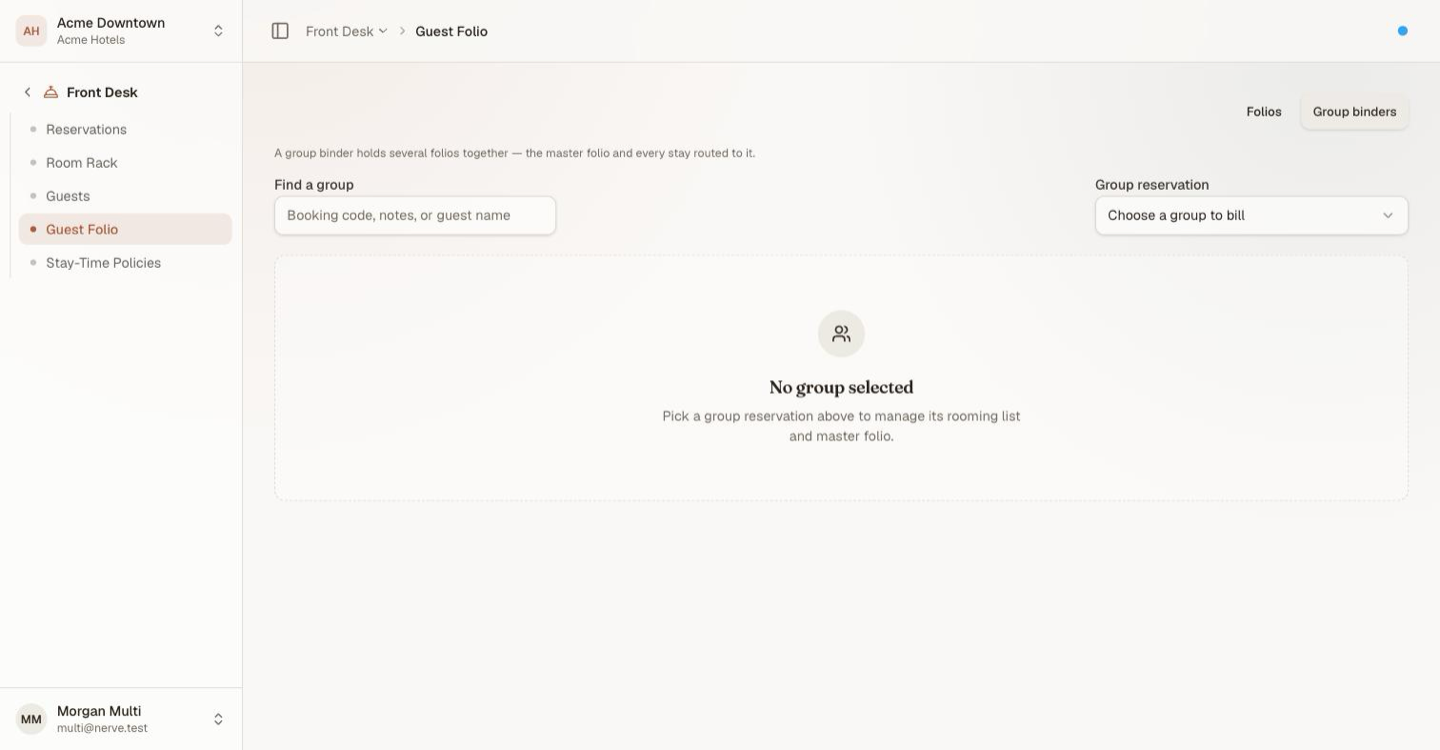
Find the group by booking code, note or guest name, or pick it from the list. Only reservations holding more than one stay appear there.
The usual arrangement: the organiser's master folio takes room and tax for every room, and each guest keeps their own extras on their own folio. That is one setting per stay, and you can change it at any point during the group's stay.
Open the master folio#
Until a master exists, every charge bills to the guest it belongs to.

A group with no master folio yet, which the banner states outright. Every charge is sitting with the guest who incurred it, and the On master column is US$0.00 across the board.
- Select the group.
- Select Open master folio.
- Give it a Label and, if there is one, an Account reference — the company or block reference you will invoice against.
- Choose the Initial split for every stay.
- Select Open master folio.
The master appears above the rooming list with its own balance. The initial split is applied to every stay in the group; adjust individual stays afterwards.
Apply a billing-instruction template#
Apply template, beside Open master folio, is the faster route to the same result when the group's routing matches an arrangement you already use often — "company pays room & tax, guest pays extras", say. Choose a named billing-instruction template and it routes every billable stay in the group to match it in one action, opening the master folio first if none exists yet.
- Select Apply template.
- Choose a template from the list — if none exist yet, define one from Settings → Billing → Instructions first.
- Confirm.
Applying a template copies its routing onto the group at that moment. Editing the template afterwards, or applying a different one later, never reaches back and alters a routing already applied — it only changes what the next apply does. Treat it as a starting point you can still hand-adjust per stay in the rooming list below, not a rule the group stays locked to.
Route a stay's charges#
The rooming list has one row per stay, with a Billing split control on each:
| Split | What lands on the master |
|---|---|
| Guest pays all | Nothing |
| Room & tax → master | Room and tax; incidentals stay with the guest |
| All charges → master | Room, tax, incidentals and adjustments |
- Find the stay's row.
- Change its Billing split.
Changing a routing moves the postings that are already there, not just the ones to come. The On master and Guest balance columns and the group total all update together, and the arithmetic holds in both directions — move a stay onto the master and back and every balance returns to where it started.
Ghi chú
A charge lands on exactly one folio. Room and tax routed to the master do not also appear on the guest folio; the routing decides where the posting goes, so there is no double counting to reconcile.
The footer carries the whole picture: the master balance, the guests' total, and the group total across both.
Mẹo
Route before the group checks in where you can. Routing after the fact works and is safe, but the guests have already seen their folios, and explaining a bill that changed is more work than setting the split up front.
Settle the master#
- Take payment on the master with Take payment — the same dialog as payments.
- Once its balance reaches zero, select Settle & invoice.
Settling the master clears only what was routed to it. Each guest folio still carries its own incidentals and is settled on its own — at check-out, or from the Folios side of the same screen.
The Billing split controls are disabled once the master is no longer open, so settle it last.
What's next#
- Create, find, change and cancel a reservation — booking the group in the first place
- Billing-instruction templates — define the routing this screen applies in one click
- Folios: post, split and transfer charges — moving a single line by hand
- Check a guest out — departing each stay in the group