รายได้
Rate recommendations
Accept a bounded, forecast-driven price move and watch it reach every mapped channel in one action.
อัปเดตล่าสุด
Who this is for: Manager, Owner, Read-only — reading and generating requires
rms.recommendation.read; accepting or dismissing requiresrms.recommendation.manage, which the default Manager bundle carries and Read-only does not. Where: Revenue → Recommendations
This is where the analytics become a price. A recommendation is a proposed move for one rate plan over one date window, generated from the demand forecast and bounded by guardrails. Accepting it changes the rate plan's price and queues the change out to every mapped channel, in one action.
Generate recommendations for a window#
- Set From and To to the stay window you want priced.
- Select Generate.
The list refreshes with a recommendation for every rate plan the engine will price. Generating again for a different window replaces the pending set rather than adding to it, so the list is always one coherent proposal and not an accumulation. Decisions you have already made are untouched — accepted and dismissed recommendations stay on record.
Two kinds of rate plan are never recommended:
- Direct-only plans, because the point of the move is to reach the channels.
- Derived and cascade plans, whose price follows a parent. Move the parent and they follow on their own — see room categories and rate plans.
A plan the guardrails will not move is simply absent from the list. An empty list is a valid answer: it means the forecast does not argue for changing anything.
Read a recommendation#
Each row carries the rate plan code, the date window, the current price, the proposed price, and a one-line rationale naming the forecast occupancy that produced it.
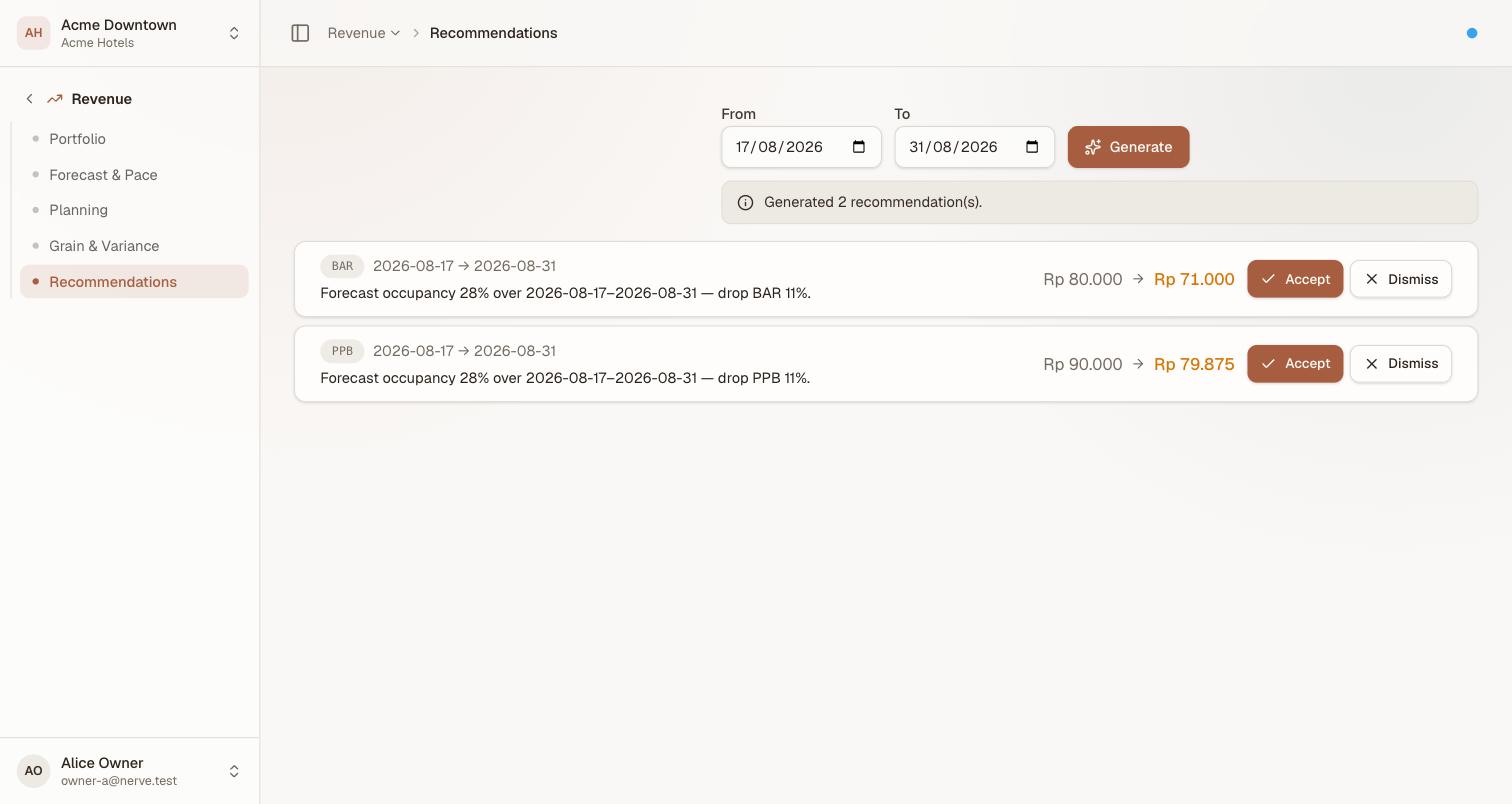
A drop, not a raise — the rules run the same either way. Forecast occupancy at 28% is below the 40% floor, so both plans propose down.
The rules behind it are fixed and worth knowing before you accept anything:
| Raise when | forecast occupancy is at or above 80% |
| Drop when | forecast occupancy is at or below 40% |
| Between the two | hold — no recommendation |
| Largest raise | +20% |
| Largest drop | −15% |
The size of the move scales with how far past the threshold demand is — 85% forecast occupancy argues for a small raise, 95% for a larger one — up to the cap. The forecast that feeds this is the pace heuristic described on forecast and pace, which knows your booking pace and nothing about your market. You are the part of this loop that knows about the city marathon.
Accept a recommendation#
- Find the row.
- Select Accept.
Accepting does three things, in order, as one action:
- The rate plan's price is set to the recommended price, in the same catalog the Reservations module reads.
- An ARI rate change is queued to every channel that plan is mapped to.
- The recommendation is marked accepted, with the price it moved and the forecast that argued for it.
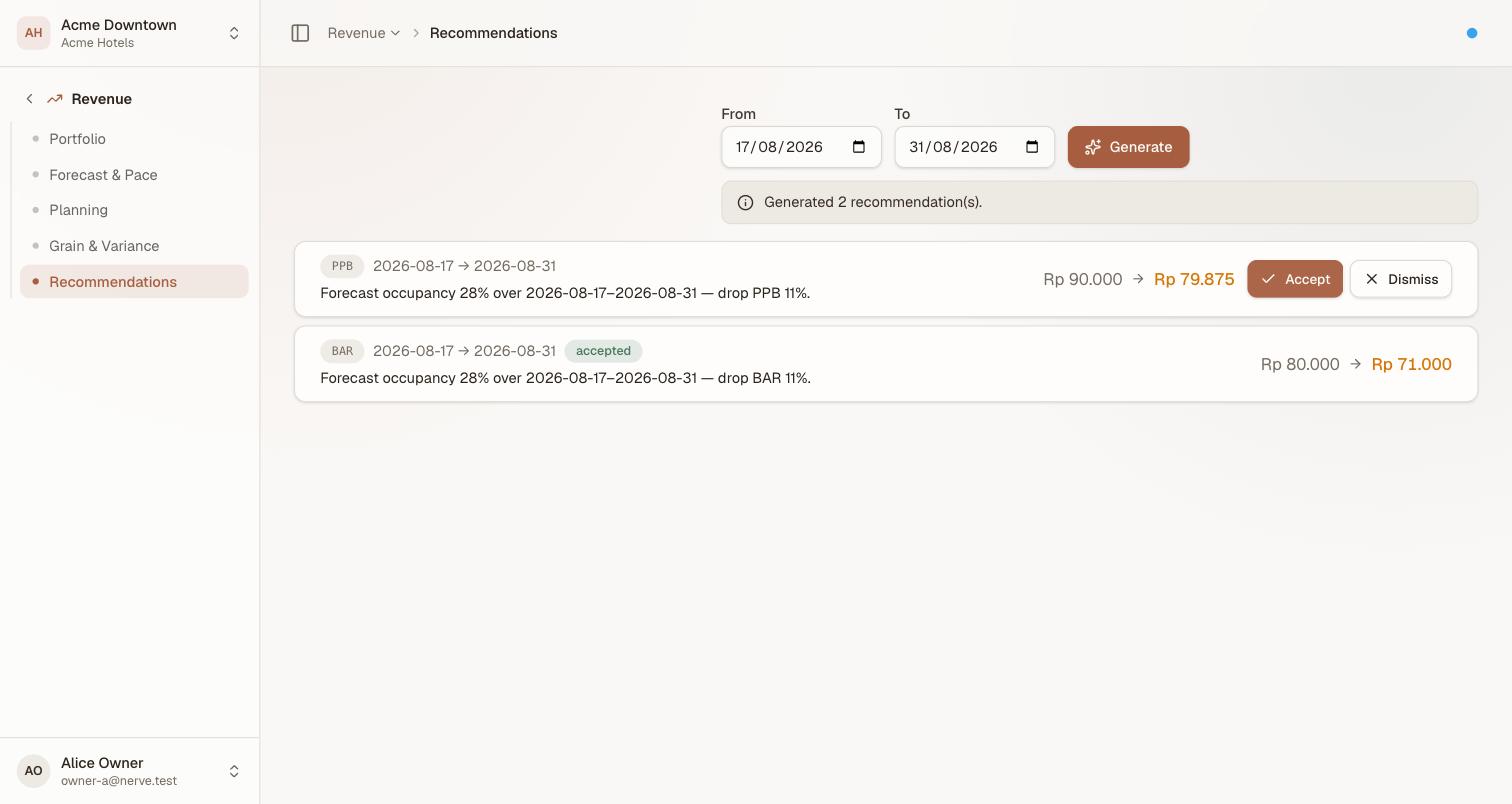
Accepting removes the buttons rather than the row — the decision stays on record, badged, beside whatever is still pending.
Follow the push in availability and ARI distribution — the change appears there with a per-channel delivery status and retries on its own if a channel is unreachable. That is the end of the round trip: forecast to recommendation to price to channel.
A recommendation can be decided once. A second accept, or an accept after a dismiss, is refused rather than applied twice — which also means two people clicking at the same moment cannot double the increase.
หมายเหตุ
A property with no connected channels is not an error. The price is applied and sells through the direct booking engine; there is simply nothing to push.
หมายเหตุ
On staging every channel connection runs against an in-process stub. Delivery states are real and behave as specified, but nothing reaches a live OTA.
Dismiss a recommendation#
- Find the row.
- Select Dismiss.
Nothing changes: no price, no push. The recommendation is recorded as dismissed and stays visible, which is the point — the record of a move you decided not to make is as useful in a review as the one you made.
Check parity yourself, without a screen for it#
Rate parity — whether a channel is still selling the price you last intended — has no screen today. A card comparing intended and distributed price used to sit at the foot of the analytics screen; it is not part of the current Dashboard.
The check itself still runs server-side (GET /rms/parity), so the fact is still computable, just not currently rendered anywhere in the product. If you suspect a channel has drifted:
- Confirm the intended price on the plan is the one you meant — room categories and rate plans.
- Push the plan's rates for the affected dates again — availability and ARI distribution. Re-pushing is safe even if the channel was already correct.
A channel that drifts repeatedly after successful pushes is usually a mapping problem, not a pricing one — see connecting a channel.
What's next#
- Availability and ARI distribution — watch an accepted price reach the channels
- Forecast and pace — the forecast a recommendation is generated from
- Revenue analytics — where the metrics are defined